
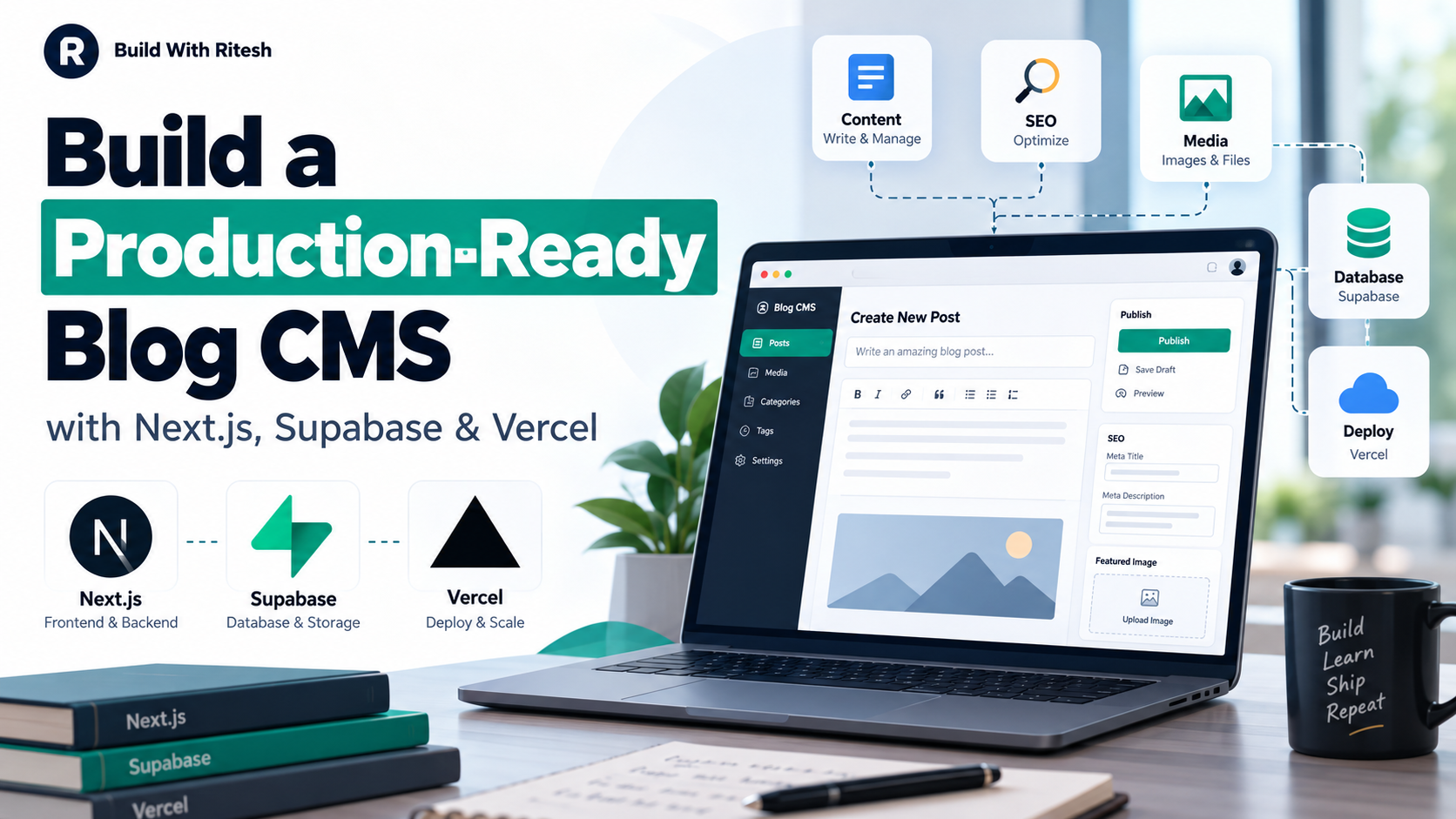
How to Build a Production-Ready Blog CMS with Next.js, Supabase and Vercel
Building a blog CMS is easy when the requirement is simply “save a title and some HTML to a database.”
The difficult part starts when the CMS has to survive real use.
Editors need drafts, categories, media uploads and previews. Search engines need clean metadata, canonical URLs and structured data. Administrators need secure authentication. Published pages need to stay fast without showing stale content. And none of this should break when the application moves from a local machine to production.
A practical stack for this is Next.js, Supabase and Vercel.
Next.js handles the public website and admin interface. Supabase can provide PostgreSQL, authentication and file storage, while Vercel provides a natural deployment environment for Next.js applications. Supabase's current Next.js guidance also emphasizes reviewing RLS before production and keeping credentials in environment variables instead of source code. Supabase
The important part, though, is not the choice of tools. It is how you connect them.
Quick Answer
A production-ready Next.js blog CMS should separate content, authentication, media, publishing and presentation instead of treating a blog post as one giant database row.
A solid architecture usually includes:
structured post and taxonomy tables;
protected admin authentication;
draft, preview and publish states;
a media library backed by object storage;
explicit SEO fields;
safe HTML handling;
revisions or recovery;
cached public pages with targeted revalidation;
server-side authorization for every write operation.
That is the difference between a CRUD demo and a CMS you can actually keep using.
What Does “Production-Ready CMS” Actually Mean?
A production-ready CMS is not simply an editor connected to PostgreSQL.
It should handle the complete lifecycle of an article:
write → save → reload → preview → publish → update → unpublish
without losing data or accidentally exposing private content.
It should also answer practical questions such as:
What happens if an editor closes the tab before saving?
Can an anonymous visitor call the upload API directly?
What happens when a published article changes its slug?
Can an image be deleted while an article still uses it?
Does publishing immediately update the public site?
Can a draft accidentally enter the sitemap?
What happens to SEO metadata after an article is edited?
These edge cases are where most of the real engineering work sits.
A Practical Architecture
I would separate the application into five logical layers:
Layer | Responsibility |
|---|---|
Next.js public layer | Blog pages, categories, metadata and rendering |
Admin CMS | Editor, media library, categories, SEO fields and publishing |
Supabase Database | Posts, categories, tags, media metadata and revisions |
Supabase Storage | Featured and inline article images |
Vercel | Builds, runtime, environment configuration and production deployment |
This separation makes debugging much easier.
If an image fails to upload, you investigate Storage. If a draft becomes public, you inspect status filtering. If a page is slow, you investigate rendering and caching rather than rebuilding the entire CMS.
Start with the Database, Not the Editor
It is tempting to build the editor first because it is the visible part.
That usually creates problems later.
Before building the UI, define what an article actually contains.
A simplified posts model could include:
id
title
slug
excerpt
content
status
category_id
subcategory_id
featured_media_id
seo_title
meta_description
canonical_url
published_at
created_at
updated_at
cms_fields
You will probably also want separate tables for:
categories
tags
post_tags
media
post_revisions
users or profiles
migration_ledger
The important design decision is to avoid storing everything inside one unstructured JSON object.
Flexible JSON fields can be useful for optional CMS settings, but important relationships such as categories, tags and media references deserve proper database relationships.
Build Categories as a Hierarchy
For a technical publication, flat categories become messy surprisingly quickly.
Instead of creating unrelated labels such as:
SEO
Technical SEO
SEO Tips
SEO Guide
SEO Tutorial
use a hierarchy:
SEO
 ├── Technical SEO
 ├── On-Page SEO
 ├── Keyword Research
 ├── Content SEO
 └── SEO Audits
A category table can use a nullable parent_id.
id
name
slug
parent_id
active
description
Then the article editor can first ask for the parent category and filter the subcategory dropdown accordingly.
This keeps the taxonomy predictable for editors and prevents the frontend from maintaining a separate hardcoded category list.
Treat Slugs as Permanent Public Identifiers
A common CMS mistake is allowing editors to freely change a published slug.
Imagine this article has already been indexed:
/blog/production-ready-blog-cms-nextjs-supabase-vercelIf someone later changes the slug without creating a redirect, every existing search result, bookmark and inbound link can break.
A safer rule is:
Draft slug: editable.
Published slug: protected unless a redirect workflow exists.
The same principle applies to category slugs.
Authentication Is Only Half of Security
Logging into an admin dashboard does not automatically secure the backend.
Every write operation should also verify authorization on the server.
That includes:
creating articles;
editing articles;
publishing;
deleting content;
uploading media;
changing media metadata;
changing categories;
deleting images.
Supabase recommends protecting exposed database tables with Row Level Security and granting only the access each role actually needs. Its documentation also explicitly warns against exposing service-role or secret keys in frontend code because those credentials can bypass RLS. Supabase
A useful mental model is:
Hiding an admin button is UI. Rejecting the same operation on the server is security.
You need both.
Design RLS Around Real Access Patterns
Do not copy one universal RLS policy into every project.
Start by defining who needs each operation.
For example:
Resource | Anonymous | Admin |
|---|---|---|
Published articles | Read | Read/write |
Draft articles | No | Read/write |
Categories | Read active | Manage |
Media files | Public read if published | Upload/manage |
User/admin records | No | Restricted |
Supabase Storage also uses policies around storage.objects; uploads are not automatically open just because a bucket exists. Supabase
Test both successful and rejected operations.
A policy that allows the admin to upload is only half-tested until you also confirm that an anonymous visitor cannot upload.
Build the Editor Around Semantic Content
The editor is where a CMS can either help content quality or quietly destroy it.
At minimum, I would support:
Paragraph
H1–H6
Bold
Italic
Lists
Blockquote
Links
Inline code
Code blocks
Tables
Images
Embeds
Undo / redo
HTML view
The important part is semantic output.
A heading should become a real heading:
<h2>How Supabase Storage Works</h2>not a visually enlarged paragraph.
Likewise, code should use:
<pre><code>...</code></pre>and article images should ideally retain meaningful alt, dimensions and captions.
Make Paste Behavior Predictable
Technical articles are often drafted in Google Docs, NotebookLM, Markdown tools or AI assistants.
A good editor should survive pasted content without turning it into a giant paragraph.
It should correctly recognize:
## Heading

Paragraph text.

- Item one
- Item two

> Blockquote
and convert it into semantic content.
At the same time, pasted HTML must be sanitized. Arbitrary scripts, event handlers and unsafe embeds should never pass through simply because the editor has an HTML mode.
Keep SEO Fields Separate from Article Content
Do not try to automatically derive every SEO field forever.
Give editors explicit control over:
SEO title
Focus keywords
Meta description
Canonical URL
Robots
Schema type
OG title
OG description
OG image
Twitter metadata
Then provide sensible fallbacks.
For example:
SEO Title empty
→ use article title

OG Title empty
→ use SEO title

Canonical empty
→ use public article URL
This keeps normal publishing simple while still allowing advanced control when needed.
Focus keywords should remain editorial guidance. They should not be converted into the obsolete meta keywords tag.
Draft, Preview and Publish Must Be Separate States
A draft should not become public simply because it exists in the database.
Your public query should explicitly filter for publishable content.
Conceptually:
status = published
AND published_at <= now
AND robots != noindex where required
Preview is different.
An authenticated editor should be able to see the final page layout before publication, while anonymous visitors should still receive an authorization failure or non-public response.
Preview pages should also use noindex.
A Media Library Is Better Than an Upload Button
A single file input is fine for a prototype.
For a real CMS, use a media library.
Each uploaded image should have a record containing information such as:
storage_path
public_url
original_filename
mime_type
file_size
width
height
alt_text
title
caption
description
This lets editors reuse images instead of uploading duplicates.
Supabase combines PostgreSQL and Storage well for this pattern: Store the actual file in Storage and keep editorial metadata and relationships in your application database. Supabase documents Storage as a separate object-storage layer with RLS-based access controls. Supabase
Do Not Let Editors Delete Referenced Images
This is an easy production bug to miss.
Imagine an image is used as the featured image on three published articles.
If an editor deletes it from Storage, those pages immediately contain broken images.
Before deletion, check whether the media ID or URL is referenced by:
published posts
drafts
featured-image fields
article HTML
saved revisions
If it is still referenced, block deletion and tell the editor where it is being used.
That small check can prevent a surprisingly annoying class of content failures.
Store Revisions
Autosave is useful, but it is not a replacement for revisions.
Autosave protects against accidental browser closure.
Revisions protect against:
“I saved the wrong version yesterday and only noticed today.”
You do not necessarily need hundreds of versions.
For a lightweight CMS, retaining the most recent 20–30 meaningful revisions is often enough to provide useful recovery without creating unlimited database growth.
Avoid Autosaving Every Keystroke
Saving on every keypress produces unnecessary API and database traffic.
A better approach is:
detect that content changed;
debounce for a few seconds;
save only after typing stops;
skip the request if nothing actually changed.
This matters even more when your application runs on usage-based server infrastructure.
The goal is not simply a smoother editor. It is fewer pointless server executions.
Cache Public Content, Not Admin Content
Published blog content is an excellent caching candidate.
The admin dashboard is not.
For public content, Next.js supports cached data and both time-based and on-demand revalidation. Current Next.js guidance specifically recommends cache tags and targeted revalidation for CMS-style content rather than unnecessarily regenerating everything on every request. Next.js
A useful pattern is:
Visitor requests article
        ↓
Serve cached published article
        ↓
Editor updates article
        ↓
Publish action
        ↓
Invalidate article/category cache
        ↓
Next request receives fresh content
This provides both performance and freshness.
Do not publicly cache:
admin sessions
drafts
authenticated preview
user-specific data
private API responses
Avoid Self-Fetching from the Server
Another avoidable performance issue appears when a Server Component does this:
Server Component
    ↓
HTTP request to its own /api/posts
    ↓
API handler
    ↓
Database
If both pieces live in the same application, a shared server-side data function is often cleaner:
Server Component
    ↓
getPublishedPosts()
    ↓
Database
You remove an unnecessary HTTP request and reduce runtime work.
API endpoints are useful when another client actually needs an HTTP interface. They do not need to sit between every server-rendered component and its own database.
Revalidate When Content Changes
A blog does not need to query PostgreSQL from scratch for every anonymous visitor.
Next.js supports path and tag-based revalidation, including revalidateTag for content that can use stale-while-revalidate behavior. Next.js
For example, publishing an article might invalidate:
article:{slug}
articles
category:{categoryId}
sitemap
This is much more precise than making the whole site fully dynamic.
Keep the Sitemap Connected to Publishing State
Your sitemap should never blindly return every database row.
Include only pages that are:
published
public
canonical
indexable
not future-dated
Exclude:
drafts
previews
admin routes
noindex articles
noncanonical duplicates
thin taxonomy pages
Publishing and unpublishing should update this automatically.
That is much safer than maintaining a static XML file manually.
Use Structured Data That Matches the Page
A blog article normally needs Article or BlogPosting, along with real information such as:
headline
author
datePublished
dateModified
image
canonical URL
Do not add schema simply because a validator accepts it.
For example, do not add FAQPage, ratings or business information unless the visible page genuinely supports those claims.
Structured data should describe the page, not decorate it with imaginary entities.
Keep Environment Variables Outside the Repository
Database credentials, auth secrets and server-only keys do not belong in Git.
Vercel supports environment-specific variables for development, preview and production, and those values are available to builds or runtime functions without hardcoding them into the source. Vercel
Typical configuration may include values such as:
NEXT_PUBLIC_SUPABASE_URL
NEXT_PUBLIC_SUPABASE_PUBLISHABLE_KEY
server-only database/auth secrets
application origin
storage configuration
The naming depends on your implementation.
The key rule is simpler:
Public configuration may reach the browser when intended. Privileged credentials never should.
Test Rejected Actions, Not Only Successful Ones
Many CMS test plans look like this:
Can admin login? Yes.
Can admin upload? Yes.
Can admin publish? Yes.
That is incomplete.
Also test:
Can anonymous user access admin API? No.
Can anonymous user upload media? No.
Can anonymous user read private users table? No.
Can draft appear publicly? No.
Can referenced media be deleted? No.
Can unsafe HTML survive sanitization? No.
Negative tests often reveal more important production bugs than happy-path tests.
Use Preview Deployments Before Production
One reason Next.js and Vercel work well together is the deployment workflow.
Vercel distinguishes local, preview and production environments, so a branch can be tested before it affects the production domain. Vercel
A sensible release flow is:
Code change
→ local build/tests
→ preview deployment
→ CMS and public QA
→ production deployment
→ production smoke test
Do not treat “deployment succeeded” as the same thing as “feature works.”
A green build cannot tell you whether a draft leaked into the sitemap.
Common Mistakes
1. Making every page dynamic
It feels safe because content is always fresh, but it can create unnecessary database and runtime usage.
Cache public content and invalidate it when publishing changes.
2. Trusting frontend authentication
A hidden admin page is not an access-control system.
Authorize every write server-side.
3. Exposing privileged Supabase keys
A publishable key and a privileged server secret are not interchangeable. Supabase explicitly states that service-role/secret credentials should never be exposed in frontend code. Supabase
4. Ignoring RLS
If a table is available through an exposed Data API, configure RLS according to the intended role access instead of assuming your UI will protect it. Supabase
5. Treating media as just a URL
Without proper media records and reference checks, image reuse and deletion become fragile.
6. Rewriting published slugs casually
Once a URL is public, changing it becomes an SEO and redirect problem.
7. Building SEO after the CMS
SEO fields, canonical handling and publication state should be part of the content model from the beginning.
A Production Checklist
Before calling your CMS finished, verify:
Authentication
✓ Admin login works
✓ Anonymous admin/API access fails
✓ Sessions expire correctly

Content
✓ Draft save/reload works
✓ Preview works
✓ Publish/unpublish works
✓ Slugs remain stable
✓ Revisions can be restored

Taxonomy
✓ Parent/subcategory relationships persist
✓ Tags remain independent
✓ Inactive categories cannot be assigned accidentally

Media
✓ Real upload works
✓ ALT/title/caption/description persist
✓ Featured image reloads correctly
✓ Inline images render correctly
✓ Referenced media cannot be deleted

SEO
✓ Title and meta description render
✓ Canonical is correct
✓ Robots behavior matches status
✓ Structured data is valid and truthful
✓ Drafts stay out of sitemap

Performance
✓ Public content is cached where appropriate
✓ Publishing triggers targeted revalidation
✓ No unnecessary polling
✓ No redundant internal HTTP calls

Deployment
✓ Production environment variables exist
✓ Build passes
✓ Production smoke tests pass
The Most Important Architectural Lesson
The hardest part of a custom CMS is not the text editor.
It is the boundaries between systems.
Content should not control authentication.
Storage should not silently break published posts.
SEO should not depend on an editor remembering ten manual steps.
Caching should not make publishing unpredictable.
The more clearly those responsibilities are separated, the easier the CMS becomes to maintain.
Next.js, Supabase and Vercel work well together because each can handle a different part of that architecture. Supabase provides Postgres, authentication and storage capabilities, while Next.js provides the rendering and revalidation model and Vercel provides a deployment environment closely integrated with Next.js. Supabase
But the stack itself will not make an application production-ready.
The production quality comes from the rules you build around it.
Final Takeaway
If you are building your own blog CMS, do not start by asking:
“Which rich text editor should I install?”
Start by defining:
Who can access the CMS?
What states can content have?
What becomes public?
What gets cached?
How are images protected?
What happens when something changes?
Once those decisions are clear, the editor becomes one component instead of the entire architecture.
A good custom CMS should feel boring in production: editors write, images upload, previews work, articles publish, search metadata stays correct, and visitors never need to know how many systems are working behind the page.
That is the goal.
Frequently Asked Questions
Is Next.js good for building a custom blog CMS?
Yes. Next.js can handle both the public website and authenticated server-side CMS workflows, while its caching and revalidation features are useful for content that changes on publication rather than on every page request. Next.js
Can Supabase be used as a CMS backend?
Supabase is not a traditional CMS by itself, but PostgreSQL, Auth, Storage and its APIs provide many of the backend components needed to build a custom CMS. Supabase
Should blog images be stored in PostgreSQL?
Normally, store the image file in object storage such as Supabase Storage and keep the file metadata and article relationship in PostgreSQL.
Should every blog request query the database?
Not necessarily. Published content can often be cached and revalidated when an editor changes or publishes it. Next.js provides both time-based and on-demand revalidation for this purpose. Next.js
Should drafts be included in the sitemap?
No. Draft, private, future-dated or explicitly noindex content should not be submitted as normal indexable sitemap URLs.
Is Supabase RLS necessary?
When tables are exposed through the Supabase Data API, RLS and appropriate privileges are an important part of controlling which rows each role can access. Supabase
Sources and Further Reading
Next.js documentation — caching and revalidation. Next.js: Revalidating
Supabase documentation — using Supabase with Next.js. Supabase: Next.js Quickstart
Supabase documentation — database and RLS security. Supabase: Securing Your Data
Supabase documentation — Storage access control. Supabase: Storage Access Control
Vercel documentation — Next.js deployment. Vercel: Next.js on Vercel
Vercel documentation — environment variables. Vercel: Environment Variables